Buying managed security services can feel like shopping for a lock when half the vendors are really selling cameras, alarms, or a guard who only works weekdays. The label sounds clear until you get into demos, pricing sheets, and promises that blur together fast. Here’s the thing: the right service can take real pressure off your team, but only if you know what coverage you’re actually buying.
Table of Contents
- What Managed Security Services Actually Cover
- Start With Your Real Security Gaps
- The Features That Matter Most Before You Buy
- How to Judge a Provider Beyond the Sales Pitch
- Compliance, Privacy, and Data Handling
- Pricing Models and What Drives Cost
- Common Buying Mistakes That Cause Regret Later
- Which Type of Managed Security Service Fits Your Business
- Questions to Ask Before You Sign
Need Expert Cybersecurity Help?
Get expert guidance from CyberPhore. We design, deploy, and manage comprehensive cybersecurity programs with measurable outcomes.
Book a Free ConsultationWhat Managed Security Services Actually Cover
Managed security services are ongoing cybersecurity operations handled by an outside provider. In plain English, that usually means someone outside your company is watching your environment, reviewing alerts, looking for suspicious activity, helping respond to incidents, checking for vulnerabilities, and keeping an eye on the basic security plumbing that gets ignored when everyone is busy.
That ongoing part matters more than most sales pages admit. A one-time penetration test, risk assessment, or firewall setup project can be useful, but it is not the same thing as a true managed service. Managed means the work keeps happening after the kickoff call, after the audit, and after 5:00 p.m. on a Friday.
A solid service often includes log collection, threat detection, alert triage, incident escalation, vulnerability scanning, reporting, and some level of response support. Sometimes it also includes tuning your security tools so you get fewer junk alerts and more signal. That sounds technical, but the outcome is simple: fewer blind spots, less alert chaos, and a better chance of catching trouble before it turns into downtime or a breach.
MSSP vs. In-House Security vs. MDR
This is where the wording gets slippery.
An in-house security team is your own staff running security operations directly. That gives you control and business context, which is great, but it also means hiring, retention, shift coverage, burnout, tool management, and after-hours response all land on your side.
An MSSP, or managed security service provider, usually offers broader outsourced security operations. That can include monitoring, log management, compliance reporting, vulnerability management, and support across several systems. Think of it as ongoing outsourced security coverage across multiple layers of your environment.
MDR, or managed detection and response, is usually narrower and more response-focused. It often centers on endpoint, identity, cloud, or network detections, then adds investigation and guided or active response. In practice, some MDR services are excellent at hunting down real threats but lighter on things like compliance reporting, vulnerability management, or broader log coverage.
The catch is that those labels are not consistent. One vendor’s MSSP acts like an MDR provider with a wider menu. Another vendor’s MDR is basically alert forwarding with better branding. That is why the name on the homepage matters less than the exact scope, response model, and tools included in the contract.
Start With Your Real Security Gaps
Before comparing providers, figure out what is not working right now. Otherwise, you end up buying a polished service that solves the wrong problem.
Maybe your actual gap is simple: nobody watches alerts overnight. Maybe your team gets 400 notifications a day and ignores half of them because there is no time. Maybe audits keep turning into a scramble through screenshots, missing logs, and email chains from three months ago. Or maybe your environment has sprawled across Microsoft 365, cloud apps, remote devices, old servers in a closet, and a firewall nobody wants to touch.
Managed security services work best when you use them to fix a specific operational problem. If your pain is 24/7 monitoring, prioritize around-the-clock triage and response. If the pain is compliance, focus on reporting, evidence collection, and access controls. If your tools are disconnected, integration matters more than another flashy dashboard.
Signs You Need Outside Help
Some warning signs are obvious. Nights and weekends go uncovered. A suspicious login comes in at 2:13 a.m., and nobody sees it until the first coffee of the morning. By then, the attacker has had hours.
Other signs are quieter. Alerts pile up but nothing gets investigated deeply. Security tasks bounce between IT staff who are already overloaded. Hiring security analysts takes months, and when you do find someone, keeping that coverage consistent is hard. Audit prep keeps turning into an emergency project.
If any of that sounds familiar, outside help is probably not a luxury purchase. It is gap coverage.
Your Environment Shapes the Right Fit
Good coverage looks different depending on what you run.
If your business lives mostly in cloud apps and Microsoft 365, identity monitoring, email security, and cloud configuration checks matter a lot. If you still rely on on-prem servers, network telemetry, firewall visibility, and patch oversight may matter more. A hybrid setup needs both, plus someone who can connect the dots between them.
Remote and hybrid work changes the picture too. Laptops move between home Wi-Fi, coffee shops, airports, and hotel networks. The old security perimeter is gone, so endpoint and identity protection become more important than a single office firewall.
Sensitive customer data, payment systems, healthcare records, or regulated environments raise the bar again. In those cases, logging depth, audit trails, access restrictions, and incident handling discipline are not nice extras. They are part of the job.
The Features That Matter Most Before You Buy
Most vendor feature lists are too long and not very useful. What matters is what changes your day-to-day protection. If a feature does not improve visibility, speed up response, reduce noise, or support compliance, it is probably marketing filler.
24/7 Monitoring and Response
If your business can be attacked at any hour, security coverage should not stop overnight. That sounds obvious, yet plenty of services advertise 24/7 monitoring when the real model is closer to 24/7 alert collection.
There is a big difference between “an alert exists” and “someone reviewed the alert, investigated context, and started the right action.” You want to know who is awake, what gets triaged in real time, and what happens if something serious appears at 1:40 a.m.
For many businesses, this is non-negotiable. Attackers do not care about office hours.
Threat Detection Quality
Detection quality is what separates useful coverage from expensive noise. Vendors may talk about SIEM, endpoint detection, network monitoring, behavior analytics, and threat intelligence. Those tools matter, but only if they work together well enough to spot real problems without flooding you with garbage.
Plain-English version: good detection means fewer missed incidents and fewer false alarms. A provider should be able to combine signals from logs, devices, cloud platforms, and user activity to tell the difference between a real threat and a weird but harmless event.
Ask how detections are tuned. Ask how often rules are updated. Ask what data sources are actually monitored, not just “supported.”
Incident Response Support
This is where the contract becomes real.
When something goes wrong, does the provider only send an email saying you may have an issue? Or does the provider help isolate a device, disable an account, collect forensic evidence, and guide next steps? Those are very different service levels, and the pricing usually reflects that.
Look for clear escalation paths, after-hours communication rules, and documented response actions. If the provider can contain threats directly, find out under what authority. If approval is required, make sure the process is fast enough to matter during a live incident.
A provider that only notifies you is giving visibility. A provider that helps contain and investigate is giving operational support. Both can be useful, but they are not interchangeable.
Vulnerability Management and Security Hygiene
The boring stuff prevents a lot of expensive chaos.
Vulnerability management should cover regular scanning, asset visibility, prioritization, and reporting that tells you what actually needs attention. Misconfiguration checks matter too, especially in cloud environments where one bad setting can expose far more than an unpatched laptop.
Patch visibility is part of the picture, even if patching itself stays with your internal team or another provider. You want to know what is missing, how severe it is, and how long it has been sitting there. Good security hygiene also includes keeping an accurate asset inventory. You cannot protect systems you forgot existed.
Tool Compatibility and Integration
A service that works with your current stack can save you money and pain. A service that forces a full tool replacement can turn a “good deal” into a migration project with surprise costs.
Check compatibility with your firewall, endpoint tools, Microsoft environment, identity platform, cloud platforms, ticketing system, and log sources. If you already use products from Microsoft, Cisco, Palo Alto Networks, CrowdStrike, SentinelOne, Okta, AWS, or Google Cloud, get specific about what integrations are native and what requires extra work.
The trick is to ask what gets real visibility versus what is merely connectable in theory.
How to Judge a Provider Beyond the Sales Pitch
Demos are polished. Real service quality shows up in process, staffing, and transparency.
Certifications, Experience, and Team Depth
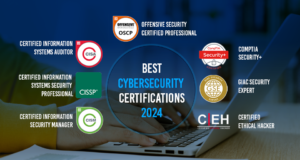
Certifications can be useful signals, but logos alone do not prove good service. A provider may have impressive badges and still give you slow escalations or shallow investigations.
What you want is evidence of analyst depth, mature operating processes, and enough staffing to support your environment consistently. Ask about the security operations center, analyst coverage, turnover, escalation paths, and how specialized cases are handled. If your environment is regulated or technically messy, experience in similar environments matters more than a trophy wall.
Service-Level Agreements and Response Times
An SLA should spell out what is guaranteed, not just what sounds reassuring in a proposal.
Look for triage times for high-severity alerts, escalation windows, communication expectations, uptime commitments for the platform, and reporting frequency. Pay attention to wording. “Targets” and “goals” are softer than guarantees. If a provider promises rapid response, the contract should say exactly how rapid.
Slow triage can wipe out the value of everything else.
Reporting You Can Actually Use
Good reporting should help you decide, not just document that something happened. That means dashboards that show trends, incident summaries that explain impact, and technical detail that gives your team enough to act.
If you have compliance obligations, reporting should also help with evidence collection and audit prep. Monthly PDFs packed with screenshots but no real interpretation are not useful. You want reports that answer practical questions: What is getting worse? What keeps repeating? Which assets are most exposed? Are response times improving?
Customer Support and Communication Style
This part is easy to underestimate and miserable to ignore.
If support is hard to reach, overly technical, or vague during an incident, your fancy portal stops mattering. Good providers explain issues in plain English, give you clear contacts, and make escalation paths obvious. Named contacts help. So does onboarding support that does not disappear after go-live.
A warm, responsive team often saves more time than a prettier dashboard.
Compliance, Privacy, and Data Handling
Security buying gets complicated fast once procurement, legal, and compliance enter the room. That is normal. Managed security services touch sensitive systems and data, so these details matter.
Support for Regulatory Requirements
A provider can support your compliance goals, but no service magically makes you compliant on its own. That claim should make you nervous.
If you deal with HIPAA, PCI DSS, SOC 2, ISO 27001, or industry-specific requirements, look for support that maps to those needs: log retention, access monitoring, incident reporting, evidence collection, change tracking, and audit-friendly reporting. The service should make compliance easier to manage, not turn into another loose end.
Access Controls and Data Residency
Ask how the provider accesses your systems, what permissions are required, who can see your logs, and how that access is reviewed. Least-privilege access, role separation, and audit trails matter here.
Data storage matters too. Your logs may include usernames, device names, IP addresses, and other sensitive operational details. If your contracts or industry require data to stay in certain regions, confirm where data is stored and processed. This tends to surface late in the buying cycle, and it is much easier to settle early.
Protect Your Business Now
From detection to response, get complete protection with CyberPhore.
Get ProtectedPricing Models and What Drives Cost
Managed security services are priced in several different ways, which makes quote comparison annoying. The only useful approach is to break pricing down into the unit that drives it.
Common Pricing Structures
Some services charge by device, some by user, some by data volume, and some by service tier. Others bundle software and service together, which can be convenient but harder to compare line by line.
Hidden costs tend to show up in predictable places: onboarding fees, extra log ingestion, custom integrations, after-hours incident response, forensic work, and premium reporting. If a quote looks surprisingly low, check what happens when your environment grows or when a real incident requires more than alert forwarding.
Cheap security can get expensive fast.
When It Makes Sense to Pay More
Paying more makes sense when the extra cost buys something concrete: faster response, broader telemetry coverage, stronger analysts, better compliance support, or real hands-on incident help.
If your business handles sensitive data, has strict uptime needs, or lacks internal security depth, the cheapest option is often the wrong one. On the other hand, if your environment is fairly simple and your biggest need is dependable monitoring plus clear reporting, you may not need the highest tier on the menu.
Price only makes sense in relation to risk and internal capability.
Common Buying Mistakes That Cause Regret Later
Most bad outcomes come from misaligned expectations, not evil vendors. The problem starts when vague promises meet real operational pressure.
Buying Based on Tools Instead of Outcomes
A stack of tools can look impressive in a demo. But if you still get slow response, unclear ownership, and constant false positives, none of that matters.
Buy based on outcomes. Can the provider shorten detection time? Can incidents be investigated properly? Will your team spend less time sorting noise? Will audit prep get easier? If the answer is fuzzy, the tool list is a distraction.
Ignoring Onboarding and Transition Work
Onboarding is where good intentions meet reality. Logs need to be connected. Use cases need tuning. Assets need to be discovered. Internal contacts need to be named. Playbooks need approval paths.
That setup period often runs 30 to 90 days, and it strongly shapes long-term success. If onboarding is rushed, half-configured, or poorly coordinated, the service may never fully recover. Ask for a real implementation plan, not a hopeful timeline.
Not Clarifying Roles During an Incident
When an incident hits, confusion wastes precious time. You need a clear answer to one question before anything goes wrong: who does what?
Who confirms severity? Who contacts your team after hours? Who can isolate a device or disable an account? Who approves containment if leadership is asleep? Who handles internal communications? If those answers are vague before signing, they will be worse during a real incident.
Which Type of Managed Security Service Fits Your Business
The right model depends on your size, complexity, risk, and internal staffing. There is no universal best fit, and that is actually good news because it means you can buy more precisely.
Best Fit for Small and Midsize Businesses
If you do not have a full internal security team, simplicity matters. You likely need dependable monitoring, strong onboarding, clear reporting, and support that does not require a translator.
A good fit here is a service that covers the basics well: endpoint and identity visibility, practical alert triage, sensible escalation, and reporting that helps during audits or leadership reviews. Breadth matters less than consistency.
Best Fit for Regulated or High-Risk Environments
If you handle sensitive customer data, payment systems, healthcare information, or high-value intellectual property, go deeper. You need stronger logging, more mature incident response support, clearer evidence handling, and better compliance mapping.
In these environments, “good enough” monitoring is usually not good enough. You want a provider that can support detailed investigations, preserve records cleanly, and match service processes to regulatory expectations.
Best Fit for Businesses With an Existing IT or Security Team
If you already have internal staff, a co-managed model may fit best. That lets your team keep strategic control while outsourcing overnight coverage, specialized monitoring, or surge support during incidents.
This can work especially well when your internal team knows the business well but cannot staff a round-the-clock security operation. The provider fills the time and expertise gaps without taking over everything.
Questions to Ask Before You Sign
A short list of sharp questions will tell you more than another product demo. Bring these into calls and listen for direct answers.
Questions About Coverage and Response
Ask what assets are monitored today versus just supported in theory. Ask who is actively reviewing alerts at all hours. Ask what happens during a high-severity incident, how fast escalation happens, and whether containment support is included or separate.
Ask for a real example of an overnight incident flow. If the answer stays vague, that tells you something.
Questions About Cost, Contract Terms, and Exit Planning
Ask what is included in base pricing and what triggers extra fees. Ask about onboarding charges, log overages, incident response hours, renewal terms, and pricing changes at renewal.
Then ask the question too many buyers forget: what happens if you leave? You should know who owns the logs, how reports are delivered, whether detection rules or configurations are portable, and how cleanly the provider supports transition out.
Try this one thing before your next vendor call: write down your top two security gaps and your after-hours incident process as it works today. If that page looks messy, that is useful. It will make the right managed security services stand out fast, and it will save you from buying a service that sounds good but does not actually fix your problem.
Ready to Get Started?
Talk to CyberPhore's team. We'll assess your needs and design a custom solution.
Free Security Assessment