Two factor authentication (2FA), also known as multi-factor authentication (MFA), has become essential for protecting online accounts and sensitive systems from unauthorized access. As password-based security continues to prove inadequate against modern threats like phishing, credential stuffing, and brute-force attacks, implementing additional authentication factors provides crucial protection that significantly reduces account compromise risks.
Need Expert Cybersecurity Help?
Get expert guidance from CyberPhore. We design, deploy, and manage comprehensive cybersecurity programs with measurable outcomes.
Book a Free ConsultationTwo-Factor Authentication Implementation:
This comprehensive guide explores two-factor authentication implementation strategies, covering various MFA methods, deployment considerations, best practices, and solutions to common challenges. Whether you're implementing MFA for a small business or large enterprise, understanding these concepts ensures successful deployment that balances security with usability.
Table of Contents
- Introduction
- Understanding Two-Factor Authentication
- Why MFA Matters for Security
- Types of Authentication Factors
- Common 2FA Methods
- Implementation Strategy
- Driving User Adoption
- MFA Best Practices
- Enterprise Deployment
- Backup and Recovery Methods
- Security Considerations
- Common Challenges and Solutions
- Frequently Asked Questions
- Conclusion
Understanding Two-Factor Authentication
For multi-factor authentication guidance, visit CISA's MFA Best Practices.
Two-factor authentication requires users to provide two different types of evidence (factors) to verify their identity before granting access. This approach dramatically improves security over password-only authentication by ensuring that compromised passwords alone cannot provide unauthorized access.
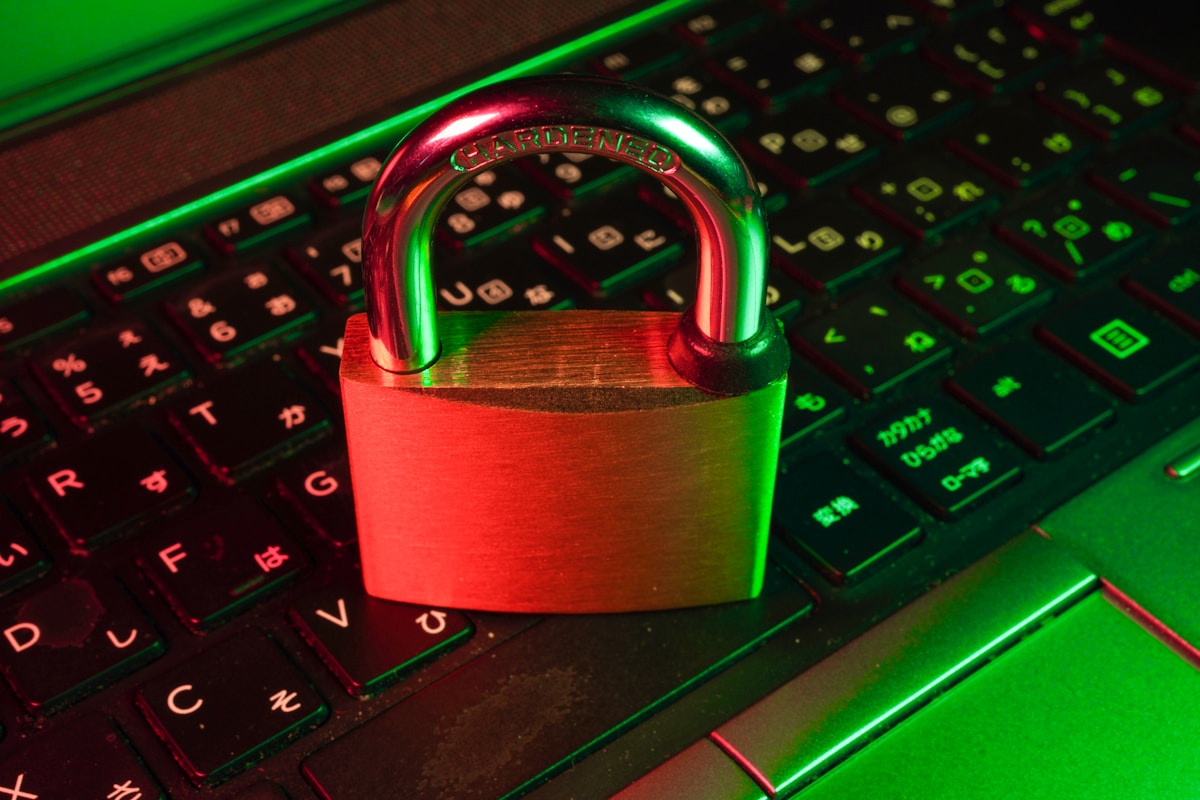
Authentication Factors
Authentication factors fall into three main categories: something you know (knowledge factors like passwords or PINs), something you have (possession factors like smartphones or security keys), and something you are (inherence factors like fingerprints or facial recognition). True multi-factor authentication requires using factors from at least two different categories.
Requiring two passwords or two security questions doesn't constitute true 2FA since both factors come from the same category. Effective MFA combines different factor types—for example, a password (knowledge) plus a code from a mobile app (possession)—providing defense in depth that makes unauthorized access much more difficult.
How 2FA Protects Accounts
Even when attackers obtain passwords through phishing, data breaches, or other methods, they still cannot access accounts protected by properly implemented 2FA. The second factor, typically something only the legitimate user possesses, prevents unauthorized access. This protection is especially valuable given widespread password reuse that allows single breaches to compromise multiple accounts.
Modern 2FA also provides attack detection benefits. Failed authentication attempts using correct passwords but incorrect second factors indicate potential compromise, alerting users and security teams to threats before attackers gain access.
Why MFA Matters for Security
The security benefits of multi-factor authentication extend far beyond simple password enhancement. Understanding why MFA matters helps justify implementation costs and drives organizational adoption.
Password Vulnerabilities
Passwords suffer from inherent weaknesses that MFA addresses. Users choose weak, predictable passwords that are easy to guess or crack. Password reuse across multiple services means single breaches compromise many accounts. Phishing attacks easily capture passwords as users willingly provide them to fake websites. These fundamental password problems persist despite decades of security awareness efforts.
MFA doesn't eliminate password vulnerabilities but it renders them largely ineffective. Attackers who steal passwords still cannot access accounts without also compromising second factors, which is considerably more difficult depending on the MFA method used.
Regulatory Requirements
Many regulatory frameworks now require or strongly recommend MFA implementation. Payment Card Industry Data Security Standard (PCI DSS) mandates MFA for certain access types. Various data protection regulations including GDPR consider MFA an appropriate technical measure for protecting personal data. Industry-specific regulations for healthcare, finance, and government increasingly require MFA.
Beyond compliance requirements, implementing MFA demonstrates due diligence in protecting sensitive information, which can influence liability and penalties in event of breaches. Organizations without MFA face higher regulatory scrutiny and potential enforcement actions following security incidents.
Breach Prevention Statistics
Studies consistently show MFA dramatically reduces account compromise rates. Microsoft research indicates MFA blocks over 99.9% of automated attacks. While sophisticated targeted attacks can sometimes bypass certain MFA methods, even basic 2FA provides enormous security improvements over password-only authentication.
The overwhelming majority of account compromises result from automated attacks against many targets rather than sophisticated attacks against specific victims. MFA effectively defeats these common threats, making accounts protected by MFA much less attractive targets for opportunistic attackers.

Types of Authentication Factors
Understanding different authentication factor categories helps design effective MFA implementations that balance security, usability, and cost considerations.
Knowledge Factors
Knowledge factors include passwords, PINs, security questions, and other information users know. While passwords remain the most common primary authentication factor, they should never serve as both factors in MFA implementations. Knowledge factors are vulnerable to social engineering, shoulder surfing, and various technical attacks.
Security questions, despite being knowledge factors, provide weak authentication due to predictable or publicly available answers. Modern MFA implementations typically avoid security questions, using them only for account recovery rather than routine authentication.
Possession Factors
Possession factors verify that users have specific physical objects. Common examples include smartphones running authenticator apps, hardware security keys, smart cards, and physical tokens generating one-time codes. Possession factors provide strong security when physical security of authentication devices is maintained.
Modern implementations favor smartphone-based possession factors due to widespread smartphone ownership, though hardware security keys offer superior security for high-value accounts. The main vulnerability of possession factors is device theft, which can be mitigated through device-level protections and additional authentication requirements.
Inherence Factors
Inherence factors, also called biometric factors, verify identity through physical characteristics unique to individuals. Fingerprints, facial recognition, voice recognition, iris scans, and behavioral biometrics all fall into this category. Biometric factors provide excellent user experience—no passwords to remember or devices to carry—while offering strong security.
However, biometric implementation requires careful consideration. Unlike passwords or lost devices, compromised biometric data cannot be changed. Biometric systems should store templates rather than actual biometric data and should use biometrics in combination with other factors rather than as sole authentication methods.
Common 2FA Methods
Various 2FA methods offer different security levels, user experiences, and implementation complexities. Selecting appropriate methods requires balancing these considerations against organizational needs and user populations.
SMS Text Message Codes
SMS-based 2FA sends one-time codes to users' mobile phones via text message. This method offers wide compatibility since nearly all phones can receive text messages, and users need no special apps or configuration. However, SMS has significant security weaknesses including SIM swapping attacks, SS7 protocol vulnerabilities, and susceptibility to interception.
Despite these weaknesses, SMS 2FA still provides meaningful security improvements over password-only authentication for most threat models. Consider SMS as minimum viable MFA rather than gold standard, suitable for lower-risk scenarios but inadequate for protecting high-value accounts or sensitive systems. For comprehensive security solutions, explore CyberPhore's Website Security services.
Authenticator Apps
Time-based One-Time Password (TOTP) authenticator apps like Google Authenticator, Microsoft Authenticator, or Authy generate temporary codes that users enter during login. These apps provide better security than SMS since codes generate locally on devices without transmission through potentially compromised telecommunications infrastructure.
Authenticator apps require initial setup where users scan QR codes to register accounts, after which they generate new codes every 30 seconds. This method balances strong security with reasonable usability, making it suitable for most organizational deployments. The main challenge is ensuring users don't lose access when devices are replaced or lost, necessitating backup methods.
Push Notifications
Push notification-based authentication sends approval requests to users' registered devices, where users simply tap to approve or deny login attempts. This method offers excellent user experience—no codes to type—while providing context about authentication attempts including location and device information.
Push notifications resist phishing more effectively than code-based methods since users see authentication context rather than blindly entering codes. However, users must develop habits of carefully reviewing authentication requests rather than automatically approving all notifications, as approval fatigue can undermine security.
Hardware Security Keys
Hardware security keys like YubiKey or Google Titan provide the strongest 2FA protection. These physical devices connect via USB, NFC, or Bluetooth and use cryptographic protocols that resist phishing and man-in-the-middle attacks. Keys verify they're communicating with legitimate services before providing authentication responses, preventing credential theft even when users interact with fake websites.
While offering superior security, hardware keys require purchasing and distributing physical devices, and users must carry keys for access. These logistical challenges make hardware keys most suitable for administrative accounts, privileged users, and high-risk individuals rather than organization-wide deployment, though costs have decreased as technology matures.
Biometric Authentication
Biometric authentication uses fingerprints, facial recognition, or other physical characteristics for verification. Modern smartphones include biometric sensors enabling convenient, secure authentication. Biometric 2FA typically works by unlocking access to cryptographic keys or authenticator apps rather than transmitting biometric data to remote servers.
The main biometric limitation is false acceptance rates and accessibility concerns—not everyone can use specific biometric types. Biometric systems should always provide alternative authentication methods for users unable to use biometrics due to disabilities or equipment limitations.
Implement MFA for Your Organization
CyberPhore's security experts can help you design and deploy multi-factor authentication solutions tailored to your security needs.
Get Started with MFAImplementation Strategy
Successful MFA implementation requires careful planning, phased rollouts, and ongoing support. Rushing implementation without adequate preparation often results in user resistance and incomplete adoption that undermines security benefits.
Assessment and Planning
Begin with comprehensive assessment of systems requiring protection, user populations, existing infrastructure, and security requirements. Identify high-value accounts and systems that benefit most from immediate MFA protection, then prioritize implementation accordingly. Consider regulatory requirements, budget constraints, and technical compatibility when selecting MFA solutions.
Document clear implementation goals including coverage percentages, timelines, and success metrics. Stakeholder engagement during planning ensures executive support and resource allocation while addressing concerns before they become obstacles.
Pilot Programs
Deploy MFA to small pilot groups before organization-wide rollout. Pilot programs identify technical issues, gather user feedback, and refine procedures before large-scale deployment. Select pilot groups that include technically savvy users who can provide detailed feedback and early adopters who will champion the technology.
Use pilot feedback to improve documentation, training materials, and support procedures. Address common issues and user concerns before expanding deployment, incorporating lessons learned into broader rollout plans.
Phased Rollout
Implement MFA in phases rather than requiring immediate organization-wide adoption. Gradual rollout allows support teams to manage user questions and issues without being overwhelmed. Common phasing approaches include starting with IT and security teams, then expanding to administrators, executives, and finally all users.
Alternatively, phase by system type, implementing MFA first for most critical systems and gradually expanding to less critical services. This risk-based approach focuses resources on highest-value protection while building organizational experience with MFA.
Communication and Training
Clear communication about MFA benefits, deployment timelines, and expectations sets appropriate user expectations and reduces resistance. Explain why MFA matters in terms users understand—protecting personal information, preventing account compromise, and securing organizational assets.
Provide comprehensive training through multiple channels including written documentation, video tutorials, live training sessions, and hands-on assistance during initial setup. Make training optional but easily accessible, recognizing different users have different learning preferences and technical proficiency levels.

Driving User Adoption
Technical deployment success doesn't guarantee effective protection—users must actually enable and use MFA. Driving adoption requires addressing usability concerns, demonstrating value, and sometimes mandating use for critical systems.
Making MFA Easy
Reduce adoption friction by selecting user-friendly MFA methods and streamlining enrollment processes. Provide clear, step-by-step instructions with screenshots or videos. Consider offering on-demand assistance during initial setup through help desk support or tech-savvy volunteers.
Remember devices where users successfully authenticate to minimize repeated MFA challenges. Balance security with convenience—requiring MFA for every login becomes burdensome, while month-long remember periods provide little security benefit. Common approaches remember devices for 30 days or until browser data is cleared.
Demonstrating Value
Users adopt security measures they understand and value. Communicate MFA benefits through real-world examples of account compromises that MFA would have prevented. Share news stories about breaches affecting similar organizations, making threats feel immediate and relevant rather than abstract.
Emphasize that MFA protects users' personal information and privacy, not just organizational assets. Users care more about protecting their own data than theoretical organizational security, so frame MFA benefits in personal terms.
Incentives and Gamification
Consider incentive programs that reward MFA adoption, particularly during initial rollout. Recognition programs, small rewards, or gamification elements can accelerate adoption while building positive associations with security practices.
Track and publicize adoption rates by department or team, leveraging friendly competition to drive adoption. Leadership visibility matters—when executives visibly support and use MFA, others follow their example.
Enforcement and Policies
For critical systems and privileged accounts, mandate MFA rather than treating it as optional. Policy-driven enforcement ensures comprehensive protection for highest-risk access points. Implement grace periods before enforcement begins, giving users adequate time to enable MFA voluntarily before facing access restrictions.
Clearly communicate enforcement timelines and consequences, then follow through consistently. Exceptions undermine policy credibility and create security gaps. When enforcement begins, provide immediate support resources to help users who waited until the last minute.
Protect Your Business Now
From detection to response, get complete protection with CyberPhore.
Get ProtectedMFA Best Practices
Following established best practices ensures MFA implementations provide maximum security while maintaining usability. These practices reflect lessons learned from years of MFA deployments across diverse organizations.
Support Multiple Methods
Offer users choices between multiple MFA methods accommodating different preferences, technical capabilities, and accessibility needs. Some users prefer authenticator apps while others find push notifications more convenient. Hardware security keys suit technically proficient users while SMS works for those uncomfortable with apps.
Method diversity also provides resilience—when users cannot access primary 2FA methods, alternatives prevent lockouts. However, ensure all supported methods meet minimum security standards rather than offering insecure options for convenience.
Secure Backup Methods
Implement secure backup authentication methods for when users cannot access primary 2FA methods due to lost devices, travel situations, or technical issues. Backup codes—single-use codes generated during enrollment—provide emergency access without compromising security.
Store backup codes securely, preferably printed and kept in secure physical locations separate from primary authentication devices. Educate users about backup code importance during enrollment, ensuring they save codes before potential device loss occurs.
Risk-Based Authentication
Implement risk-based or adaptive authentication that adjusts MFA requirements based on contextual factors like location, device, IP address, and behavior patterns. Low-risk scenarios might skip MFA for remembered devices while high-risk indicators trigger additional verification requirements.
Risk-based authentication balances security with usability, reducing friction for routine access while maintaining strong protection against suspicious authentication attempts. Machine learning-enhanced systems continually improve risk assessment accuracy.
Regular Review and Updates
Periodically review MFA enrollment status, ensuring users maintain current registration information and removing stale registrations for departed employees or decommissioned devices. Audit MFA bypass exceptions, verifying they remain justified and appropriate.
Stay informed about emerging MFA technologies and threats. As new authentication methods become available or vulnerabilities affect existing methods, update implementations accordingly. MFA isn't a one-time deployment but an ongoing security program requiring continuous attention.
MFA Implementation Checklist
- Assess systems and accounts requiring MFA protection
- Select MFA methods appropriate for your environment
- Develop comprehensive enrollment procedures
- Create user documentation and training materials
- Pilot with small groups and gather feedback
- Plan phased rollout to broader user populations
- Implement secure backup authentication methods
- Establish support procedures for common issues
- Monitor adoption rates and address barriers
- Enforce MFA for critical systems and privileged accounts
Enterprise Deployment
Large organizations face unique MFA deployment challenges including diverse user populations, legacy systems, and complex integration requirements. Enterprise deployment requires more sophisticated planning and execution than small business implementations.
Directory Integration
Integrate MFA with existing directory services like Active Directory or Azure AD for centralized authentication management. This integration enables single enrollment covering multiple applications and systems while providing administrators centralized visibility and control.
Federated identity solutions allow MFA to protect diverse applications through single sign-on mechanisms. Users authenticate once with MFA, then access multiple applications without repeated authentication challenges during their session.
Legacy System Challenges
Legacy applications and systems often lack native MFA support, requiring creative solutions like authentication proxies, virtual private networks with MFA, or application modification. Assess legacy system importance and sensitivity when determining whether custom integration efforts are justified.
For highest-risk legacy systems without MFA capabilities, consider compensating controls like network isolation, enhanced monitoring, or privileged access management solutions that add MFA layers even when applications don't natively support it.
Privileged Access Management
Implement especially strong MFA for privileged accounts with administrative access to critical systems. Consider requiring hardware security keys or other phishing-resistant methods for these high-value accounts even if standard users employ less robust MFA methods.
Privileged Access Management (PAM) solutions provide comprehensive frameworks for managing and protecting administrative access, typically including MFA as core components. PAM integration ensures privileged access receives appropriate security attention.
Zero Trust Architecture
MFA serves as foundational component of zero trust security architectures that verify every access request regardless of network location. In zero trust models, MFA protects resources whether users connect from corporate networks or internet connections, recognizing that internal networks no longer represent trusted security perimeters.
Combine MFA with device posture checking, network segmentation, and application-level access controls for comprehensive zero trust implementations that dramatically reduce breach risks compared to traditional perimeter-focused security.

Backup and Recovery Methods
Users inevitably lose devices, change phone numbers, or encounter situations preventing access to primary MFA methods. Secure backup methods prevent lockouts while maintaining security.
Backup Codes
Single-use backup codes generated during MFA enrollment provide emergency access when primary methods are unavailable. Generate 10-20 backup codes and instruct users to store them securely offline—printed documents in safe locations provide good backup code security.
Each backup code works only once, preventing reuse if codes are compromised. Track backup code usage and alert users when codes are consumed so they can generate new codes before exhausting supplies.
Multiple Device Registration
Allow users to register multiple devices for MFA, providing built-in redundancy. Users might register both smartphones and tablets, or both personal and work devices. If one device becomes unavailable, others provide access without requiring backup methods.
Balance redundancy against security—excessive device registrations increase attack surface. Three registered devices typically provides adequate redundancy without excessive risk, though specific needs vary.
Account Recovery Procedures
Establish secure account recovery procedures for users who lose access to all MFA methods. Recovery procedures must balance security with support burden—overly strict procedures create help desk congestion while lenient procedures undermine MFA security.
Common approaches include identity verification through government-issued ID, in-person verification at company offices, or temporary access granted by supervisors after verification. Document recovery procedures clearly and train support staff on proper execution.
Emergency Access
Implement emergency access mechanisms for critical situations where normal authentication isn't feasible. Emergency access might use special privileged accounts with separate MFA enrollment, break-glass procedures requiring management approval, or temporary MFA bypass capabilities tracked through detailed logging.
Emergency access represents security/availability tradeoffs—it provides flexibility for unusual situations but creates potential security gaps. Limit emergency access to genuinely critical scenarios and implement strict oversight and auditing.
Security Considerations
While MFA dramatically improves security, implementations must address potential vulnerabilities and attack vectors that could undermine protection.
MFA Fatigue Attacks
MFA fatigue attacks bombard users with authentication requests, hoping users will approve requests just to stop notifications. This attack particularly affects push notification-based MFA. Implement rate limiting on MFA requests and educate users to report unusual authentication activity rather than simply approving notifications.
Consider MFA methods requiring active user engagement like number matching, where push notifications display numbers users must enter in applications attempting authentication. This approach prevents thoughtless approval while maintaining push notification convenience.
SIM Swapping
SIM swapping attacks transfer victims' phone numbers to attacker-controlled SIM cards, enabling interception of SMS-based MFA codes. While carriers have improved SIM swap protections, this attack vector demonstrates SMS MFA weaknesses.
For accounts protecting high-value assets or sensitive information, avoid SMS-only MFA. Use SMS as backup method while encouraging stronger primary methods like authenticator apps or hardware keys.
Phishing and Social Engineering
Sophisticated phishing attacks can capture both passwords and MFA codes through real-time proxy attacks or social engineering. Hardware security keys using FIDO2 protocols provide strongest protection against phishing, as they cryptographically verify they're communicating with legitimate services.
For environments facing sophisticated phishing threats, implement phishing-resistant MFA methods and conduct regular security awareness training focusing on phishing recognition and reporting.
Session Hijacking
After successful MFA authentication, session hijacking attacks steal session cookies allowing access without re-authentication. While MFA prevents initial unauthorized access, it doesn't protect sessions after authentication completes.
Implement additional session protections including short session lifetimes, re-authentication requirements for sensitive operations, IP address and device binding, and anomaly detection monitoring for unusual session behavior. Professional security assessments from services like CyberPhore's Vulnerability Assessment help identify session security weaknesses.

Common Challenges and Solutions
MFA implementations commonly encounter challenges that can derail deployments if not addressed proactively. Understanding typical challenges and proven solutions helps ensure successful implementation.
User Resistance
Users often resist MFA initially, perceiving it as inconvenient or unnecessary. Address resistance through clear communication about benefits, leadership support demonstrating organizational commitment, user-friendly implementations minimizing friction, and support resources helping users through adoption.
Frame MFA as protecting users' interests rather than imposing bureaucratic requirements. When users understand they're protecting their own information and professional reputation, resistance decreases significantly.
Technical Complexity
Integrating MFA across diverse applications and systems presents technical challenges, particularly for organizations with legacy infrastructure. Start with systems offering native MFA support or existing integrations, building experience before tackling difficult integrations.
Consider commercial MFA solutions offering broad application support and professional services assistance rather than building custom implementations. The efficiency and reliability of commercial solutions often justifies costs even for organizations with strong technical capabilities.
Cost Concerns
MFA implementation requires investment in technology, staff time, and ongoing support. Justify costs by quantifying breach risks and potential incident costs that MFA prevents. Even basic MFA provides return on investment by preventing account compromises that would cost far more to remediate.
Many cost-effective MFA options exist, from free authenticator apps to low-cost commercial solutions. Organizations need not implement most expensive solutions to achieve meaningful security improvements.
Accessibility
Ensure MFA implementations accommodate users with disabilities who may struggle with certain authentication methods. Offer multiple MFA options so users can select accessible methods. Biometric authentication might be inaccessible for some users while perfect for others.
Work with human resources and legal teams to ensure MFA implementations comply with accessibility requirements and anti-discrimination laws. Reasonable accommodations might include alternative authentication methods or extended enrollment assistance.
External MFA Resources
For additional information about multi-factor authentication standards and best practices, visit the NIST Multi-Factor Authentication guidance, which provides authoritative technical recommendations.
Frequently Asked Questions
Conclusion
Two-factor authentication represents one of the most impactful security improvements organizations can implement, dramatically reducing account compromise risks with reasonable deployment effort and cost. The overwhelming evidence supporting MFA effectiveness makes it an essential security control rather than an optional enhancement.
Successful MFA implementation requires more than technical deployment—it demands user-focused design, comprehensive training, ongoing support, and organizational commitment. When implemented thoughtfully with attention to usability and accessibility, MFA achieves high adoption rates that translate security capabilities into actual protection.
The variety of available MFA methods enables solutions appropriate for diverse scenarios, from consumer-facing applications to high-security enterprise environments. Organizations should select methods matching their security requirements, user populations, and technical capabilities rather than pursuing one-size-fits-all approaches.
As cyber threats continue evolving, MFA will remain crucial for protecting accounts and systems. Organizations not yet implementing MFA should prioritize deployment, while those with existing MFA should review implementations for opportunities to strengthen security or improve usability based on lessons learned and technology advancements.
Don't delay MFA implementation due to perceived complexity or resistance concerns. Start with pilot programs, learn from experience, and gradually expand coverage. Even imperfect MFA provides vastly superior protection compared to password-only authentication, making immediate action valuable despite initial challenges.
Deploy MFA with CyberPhore's Expert Assistance
Our security professionals can help you design, implement, and optimize multi-factor authentication solutions tailored to your organization's specific needs and user populations.
Get MFA Implementation SupportReady to Get Started?
Talk to CyberPhore's team. We'll assess your needs and design a custom solution.
Free Security Assessment